
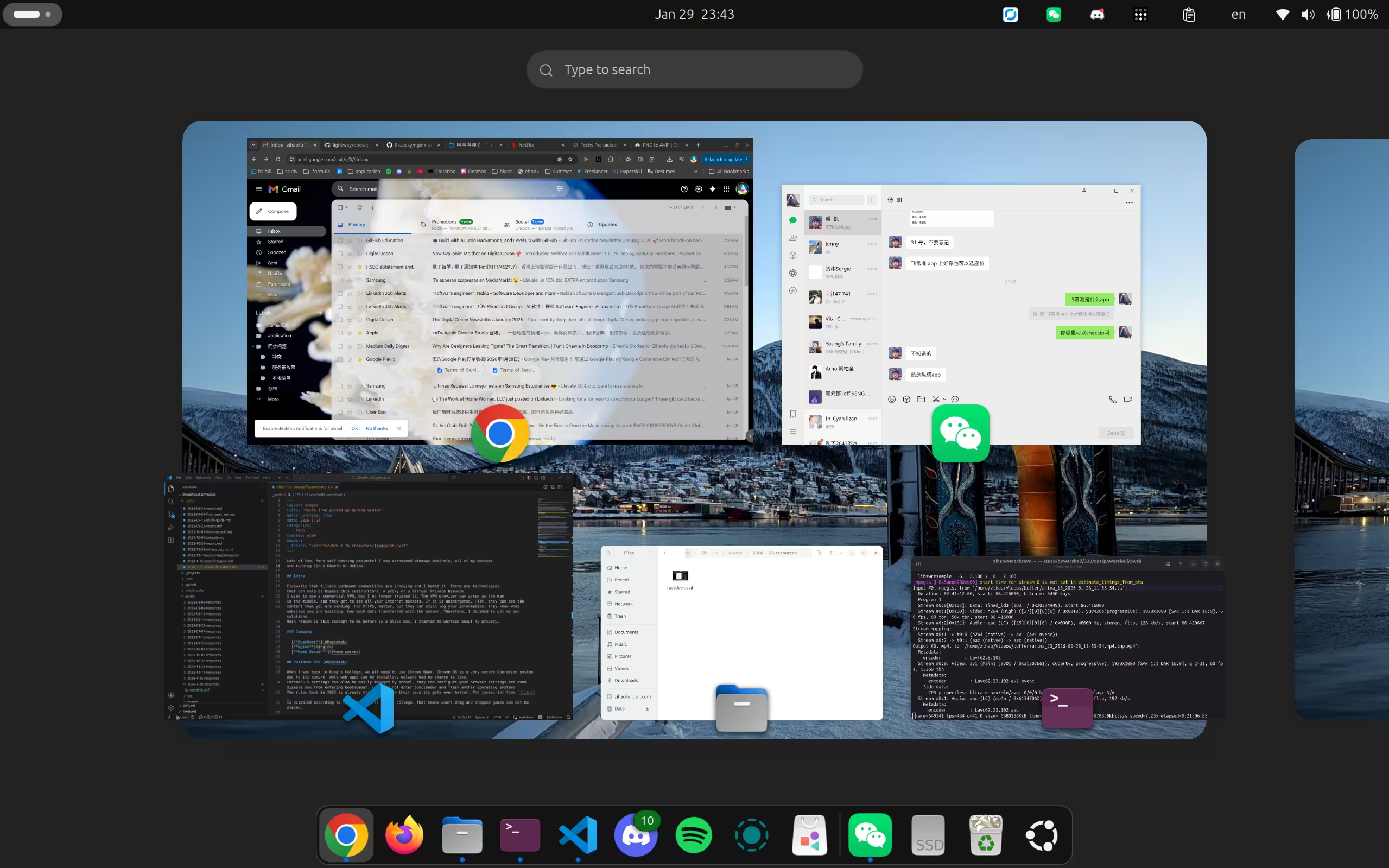
Lots of fun, and lots of self-hosting projects! I’ve now abandoned Windows entirely; all of my devices are running Ubuntu or Debian.
My Ubuntu Desktop
Intro
During this winter, I have picked up lots of new stuff.
Firewalls that filter outbound connections are annoying, and I hated them. There are technologies that can help bypass these restrictions: a proxy or a virtual private network (VPN). I used to use a commercial VPN, but I no longer trusted it. The VPN provider can act as a man-in-the-middle, and they can observe your traffic metadata. If it is unencrypted (HTTP), they can see the content you are sending. For HTTPS, it’s better, but they can still log your information: what websites you visit, and how much data is transferred. Therefore, I decided to set up my own solution. The main motivation is that this used to be a black box to me, and I started to worry about my privacy.
On my way to seeking freedom and privacy, I picked up lots of network- and Linux-related knowledge.
Jumping
RustDesk OSS
When I was back at King’s College, we all needed to use Chromebooks. Chrome OS is a very secure operating system due to its nature: only web apps can be installed, and malware has little chance to survive.
ChromeOS settings can also be easily managed by the school. They can configure your browser settings and even prevent you from entering the bootloader. (You can’t enter the bootloader and flash another operating system.)
The rules back in 2022 were already strict, but now their security has gotten even better. JavaScript from file://
is disabled, according to my friends still at the college. That means drag-and-drop games can’t be played.
Some observations for “jailbreaker”
- ChromeOS restricts users to browsers only. You can’t change extensions.
- Hard coded bans. Some websites are banned entirely even if you switch to different networks. This seems like an on-device blocking mechanism.
- Some websites are only banned when connected to school network. Often redirect to a school page that says this site is not allowed. We can confirm it is DNS-level blocking. Using a direct IP can bypass this blocking. But may face SNI issue.
- The school firewall uses a blacklist to restrict access.
From these observations, one possible solution is to use a proxy that can be used in a browser. The first idea I came up with was to write a simple browser in JS with proxy support. This is naïve in hindsight. The second idea was to use a remote VPS to stream a browser to users. This is extremely slow, needs lots of compute resources, and latency can be high. The second solution was implemented for a few months and reached an “able to use” level, but it was far from pleasant. It was called neko browser.
The last idea is RustDesk. The server can be self-hosted and open-source, with web client support. I had a public IPv4 from my house in Madrid, and I hosted the server from home; my friends lived in Madrid as well. This gave them a chance to use their own computers with super low latency. It is by far the best solution. The setup using Docker is super simple. One thing to note is the web client uses HTTPS; it needs a reverse proxy tool like Nginx to terminate TLS and forward traffic to the RustDesk server.
Rustdesk Demo
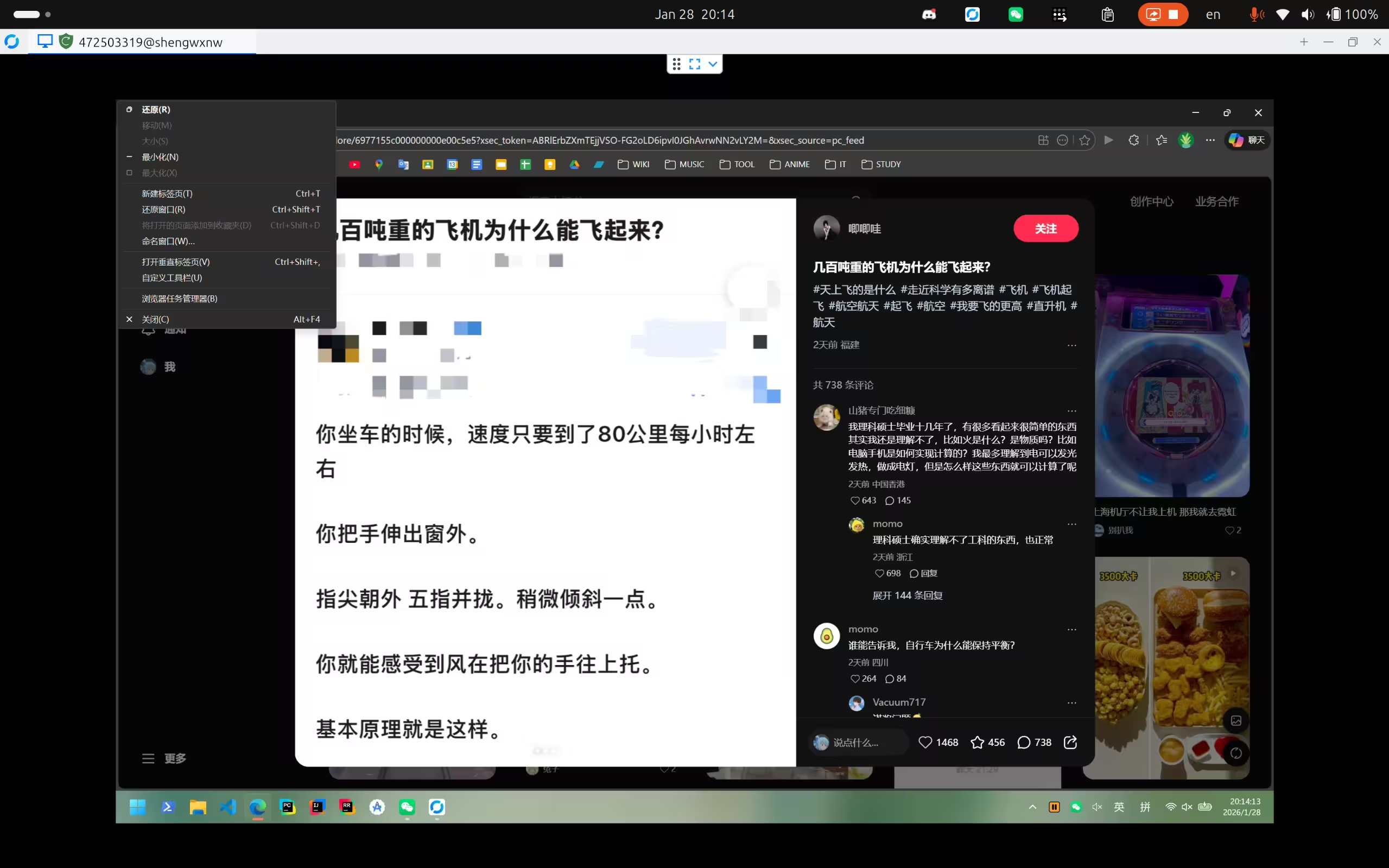
If I don’t host my own relay and use the public one instead, the latency becomes terrible, a nightmare to use. All network packets have to traverse the public relay, and you can really feel the lag.
Nginx
Nginx is a powerful tool I’ve been using recently. Many VPN servers use port 443 to camouflage as normal websites. Nginx can read SNI (Server Name Indication), which lets you proxy different protocols to different backend servers while only using one port.
A snippet from my server setup
stream {
  map $ssl_preread_server_name $tcp_backend {
      hostnames;
      manchester.zihaofu245.me 127.0.0.1:1212;  # trojan server
      mirror.zihaofu245.me 127.0.0.1:8443;      # nginx mirror server
      zihaofu245.cloud 127.0.0.1:8443;          # cloud
      default 127.0.0.1:1212;                   # default backend
  }

  # Forward all 443 traffic based on SNI
  server {
      listen 443;
      listen [::]:443;
      proxy_pass $tcp_backend;
      ssl_preread on;
  }

  # HTTP3 / QUIC support
  server {
      listen 443 udp;
      proxy_pass 127.0.0.1:1212;                # Hysteria server
  }
}
Before using Nginx, I had to remember different ports for each configuration. Now it’s all on port 443, easier to remember and better camouflage.
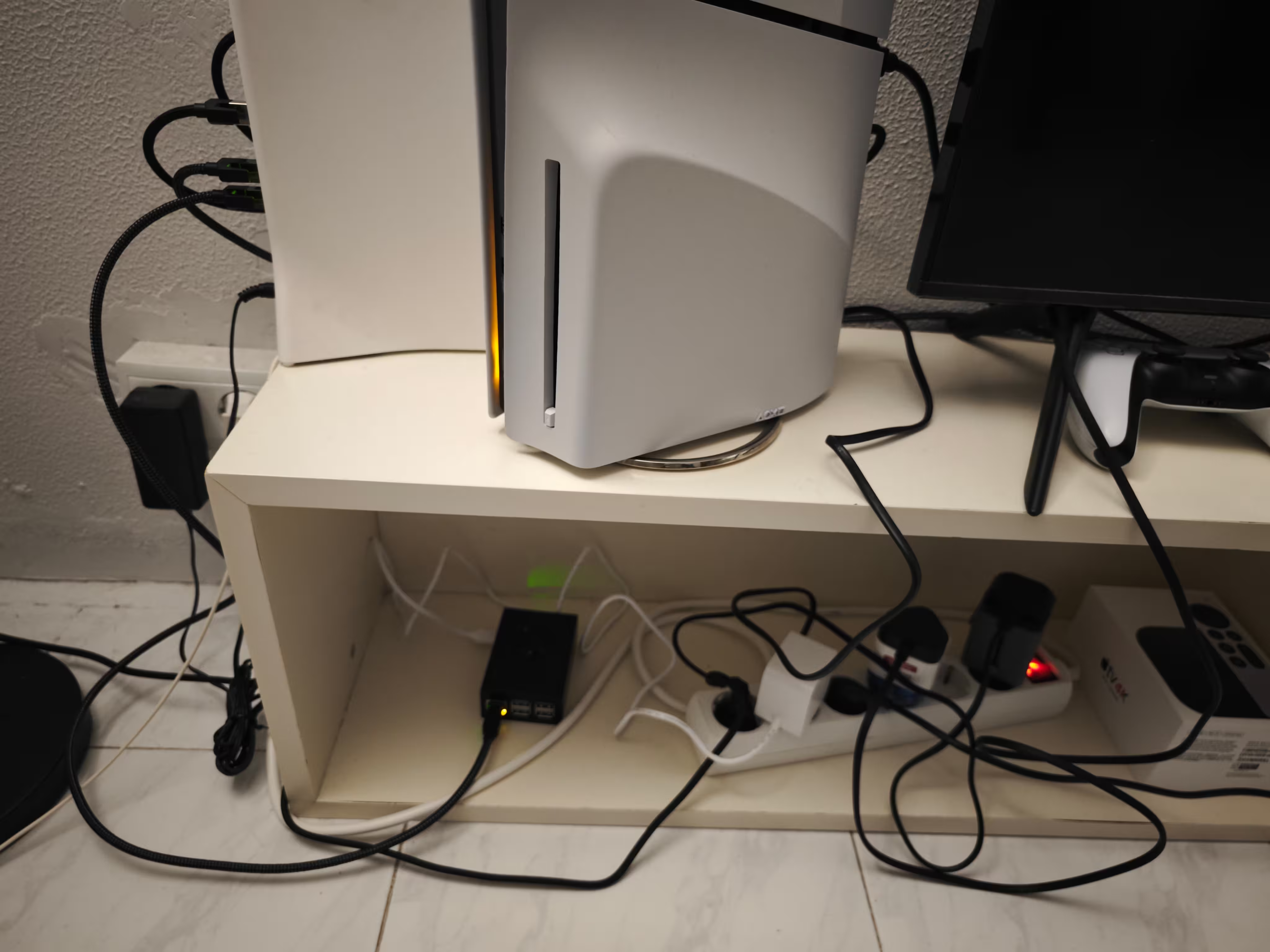
Raspberry Pi deployed as a server in Madrid
I brought a Raspberry Pi to Madrid this winter. After requesting a public static IPv4 address, I made it my home server. I deployed an Nginx server, a RustDesk relay, and many other services.
Tiny, yet powerful
Other proxy protocols that I have tried besides WireGuard
Open source stuff that I’ve tried:
- Shadowsocks
- Trojan
- Hysteria2
- sing-box
- Lightway (ExpressVPN)
- WireGuard
I’ve heard many people say WireGuard is a light and super fast VPN protocol. After my tests, I don’t think that’s always true. WireGuard uses the ChaCha20-Poly1305 encryption algorithm, a CPU-friendly choice, but it can be a bottleneck in some cases. Other protocols may rely on the system OpenSSL shared library. These libraries are highly optimized and native. With AES encryption and hardware acceleration (AES-NI), performance can surpass WireGuard in some scenarios.
Reverse Shell
IMPORTANT
Disclaimer: This reverse shell project is created strictly for educational and experimental purposes in controlled environments only. I do not condone or take responsibility for any misuse, unauthorized access, or illegal activity resulting from this work.
A reverse shell is often used as a backdoor; it can bypass firewalls easily. It’s often considered a harmful tool. Many AI tools aren’t willing to help implement it, so I did some research and implemented my own version.
This is cross-platform. TTY works perfectly on Linux; Darwin should behave similarly.
Windows usage is limited: it’s not interactive, only stdio over TCP. The main.go file is a Windows service,
use sc.exe to start it.
You’ll likely want to modify the source code
and build it again. As-is, the shell destination points to my server, so don’t run the attached binary unless you understand what it does.
Winter wrap-up on Jan 30th
This winter was fantastic. I left Madrid for a year and a half and finally came back for a visit. I went to France, Denmark, and Norway, such beautiful places. Check the photos here. I learned a lot and had lots of fun. Kicking off 2026 perfectly. Time flies; I’m 15 now.
I hate going to school, especially at the end of a holiday.